
What Is CMMS Software? A Complete Guide to Preventive Maintenance Solution
Maintenance teams often live in “firefighting mode”: a motor burns out, a pump fails, production stops, and everyone scrambles to get things back online. Using specialized
maintenance pm software, organizations can centralize their maintenance activities, move away from chaos, and gain clear visibility into what needs to be done and when.
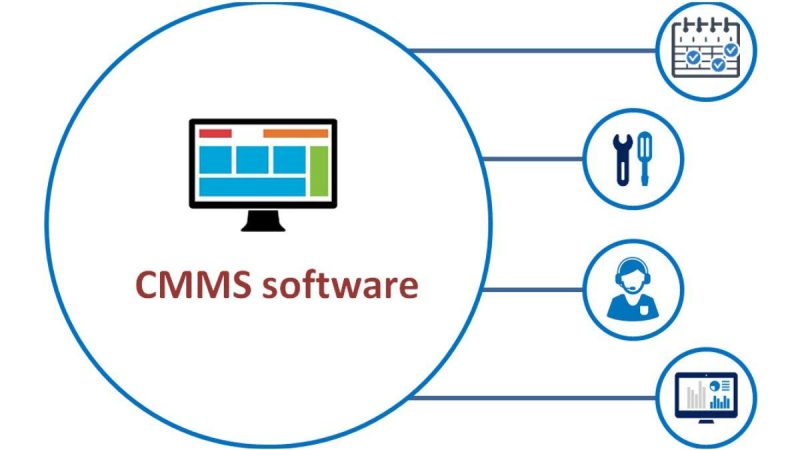
Computerized Maintenance Management System (CMMS) software exists to support this shift. It brings all your maintenance work, assets, schedules, and history into one place so you can plan ahead instead of constantly chasing failures.
In this guide, we will break down what CMMS software is, how it supports preventive maintenance, what features to look for, and how to implement it successfully. You will see how a CMMS can help you move from reactive repairs to structured, data-driven preventive maintenance that reduces downtime, extends asset life, and improves safety and compliance.
What Is CMMS Software?
Basic Definition of CMMS
CMMS stands for Computerized Maintenance Management System. It is a software platform that helps you plan, organize, track, and optimize maintenance activities across all your assets and locations. Instead of relying on paper, spreadsheets, or scattered notes, a CMMS centralizes everything in a single system.
At its core, a CMMS stores information about assets and equipment, manages work orders, tracks preventive maintenance schedules, and records maintenance history. It becomes the operating system for your maintenance team, guiding what should be done, when, by whom, and with which parts.
How CMMS Fits Into Maintenance Management
Maintenance management has several moving parts: requests from production, emergency breakdowns, inspections, planned tasks, spare parts, and reporting to management. A CMMS acts as the control center that connects all these pieces.
It gives maintenance managers a real-time view of open work, overdue tasks, technician workload, and asset status. Technicians receive clear instructions, checklists, and documentation. Supervisors get reports and dashboards to monitor performance.
The practical result is that decisions are no longer based only on memory or intuition. They are based on data: how often an asset fails, how much it costs to maintain, how long tasks take, and how well preventive maintenance is performed.
CMMS vs. Other Maintenance Tools
Many organizations start with basic tools like spreadsheets, shared calendars, or paper work orders. These work for a while, but they quickly become hard to maintain as the number of assets, people, and sites grows. Data becomes inconsistent, and it is difficult to get accurate, up-to-date reports.
A CMMS is designed specifically for maintenance work. It handles asset hierarchies, repeatable preventive maintenance plans, approvals, inventory, and cost tracking in a structured way.
It is also useful to distinguish CMMS from Enterprise Asset Management (EAM) and ERP systems. EAM and ERP platforms are broader and include financials, procurement, and many other business processes. They are powerful but often complex. CMMS focuses more deeply on day-to-day maintenance, making it easier to adopt and more intuitive for maintenance teams.
Understanding Preventive Maintenance
What Is Preventive Maintenance?
Preventive maintenance (PM) is maintenance that is performed on a regular schedule or based on usage to prevent failures before they occur. Instead of waiting for something to break, you inspect, lubricate, adjust, and replace components according to a plan.
Preventive maintenance sits between purely reactive maintenance (run-to-failure) and more advanced predictive maintenance (using sensors and analytics). It is a practical and achievable step for most organizations that want better control over reliability and costs.
Types of Preventive Maintenance
Preventive maintenance plans typically fall into three main types:
- Time-based PM – tasks triggered by calendar intervals such as daily, weekly, monthly, quarterly, or yearly.
- Usage-based PM – tasks triggered by meter readings such as hours of operation, cycles, mileage, or production counts.
- Condition-based PM – tasks triggered by the observed condition of equipment, such as vibration levels, temperatures, or inspection results.
A mature preventive maintenance program often uses a mix of these methods, depending on the asset’s criticality, operating conditions, and failure patterns.
Why Preventive Maintenance Matters
Preventive maintenance reduces the likelihood of unexpected breakdowns and helps maintain consistent asset performance. It supports product quality, safety, and delivery reliability.
From a cost perspective, preventive tasks are usually less expensive and less disruptive than emergency repairs. You can plan them during low-demand periods, coordinate spare parts in advance, and avoid overtime or rush shipping.
In many industries, preventive maintenance is also a regulatory requirement. Safety equipment, medical devices, and critical infrastructure often must follow defined maintenance schedules and be documented for audits.
How CMMS Supports Preventive Maintenance
Centralized Asset and Equipment Data
A CMMS starts with a structured asset register. Each asset can have details like location, manufacturer, model, serial number, warranty information, manuals, and associated PM tasks.
When all relevant information is stored in one place, you can design more accurate maintenance plans. You can adjust schedules based on asset age, environment, or failure history and quickly see which assets are most critical and should receive more attention.
Automated Preventive Maintenance Scheduling
Manual scheduling of preventive maintenance is error-prone. Tasks are easy to overlook, especially when there are hundreds or thousands of assets.
CMMS software solves this with automated scheduling. You define the rules once (for example, “every 30 days” or “every 500 operating hours”), and the system generates work orders automatically. Many solutions also offer meter-based triggers and notifications when thresholds are reached.
Work Order Management and Task Standardization
Each preventive maintenance task can be defined as a standardized work order template. It includes clear steps, safety precautions, tools needed, and estimated time. When a PM is due, the CMMS generates a work order from this template.
Technicians receive structured instructions instead of vague descriptions. This leads to more consistent work quality, fewer errors, and safer procedures. It also makes it easier to train new team members, as they can rely on documented checklists and best practices.
Data Capture and Maintenance History
When work orders are closed, technicians record what was done, how long it took, which parts were used, and any observations. Over time, this creates a rich maintenance history for each asset.
This history helps you answer practical questions such as:
- Are certain assets failing more often than others?
- Are PM intervals too long or too short?
- Which assets consume the most spare parts or technician time?
With a CMMS, you can adjust your preventive maintenance strategy based on real data instead of assumptions.
Key Features to Look for in a CMMS Preventive Maintenance Solution
Not all CMMS solutions are the same. When evaluating options, it is useful to compare them feature by feature, focusing on how they support preventive maintenance in daily operations.
Feature Comparison Table
| Feature Area | What It Does for PM Programs | Why It Matters |
|---|---|---|
| Asset & Location Management | Stores complete asset records and organizes them by site, building, and line | Keeps PM tasks correctly linked to equipment and locations |
| PM Scheduling Engine | Automates time-based and meter-based preventive tasks | Reduces missed tasks and improves schedule compliance |
| Work Order Management | Creates, assigns, tracks, and closes maintenance work orders | Brings structure and visibility to daily PM work |
| Inventory & Spare Parts | Tracks stock levels, parts usage, and reorder points | Ensures parts are available when PM tasks are due |
| Mobile Access | Allows technicians to view and complete work orders in the field | Increases data accuracy and reduces paperwork |
| Reporting & Dashboards | Measures KPIs such as PM completion and downtime | Supports data-driven decisions and continuous improvement |
| Integrations & Scalability | Connects to other systems and supports multiple sites and teams | Keeps the CMMS relevant as operations grow and technology evolves |
Benefits of CMMS for Preventive Maintenance
Reduced Unplanned Downtime
With structured PM schedules and automated work orders, assets receive maintenance at the right intervals. This reduces the chance of sudden failures and makes operations more predictable.
Even when failures do occur, the maintenance history in the CMMS helps technicians diagnose issues faster, because they can see what was done previously and which parts were replaced.
Longer Asset Lifespan and Better Reliability
Regular care such as lubrication, alignment, and inspection slows down wear and tear. Over time, this extends the useful life of assets and delays costly replacements.
CMMS-based preventive maintenance also improves reliability. Fewer interruptions mean more consistent production, better product quality, and higher customer satisfaction.
Lower Maintenance Costs and Better Resource Use
Preventive maintenance typically costs less than corrective maintenance when you consider overtime, rush shipping, and production losses.
A CMMS helps you optimize labor utilization by balancing workloads, grouping tasks by location, and identifying opportunities to improve efficiency. It also highlights underused or over-maintained assets, so you can adjust schedules and resources accordingly.
Improved Safety and Compliance
Safety-critical checks can be built into PM tasks and tracked automatically. This reduces the risk of accidents caused by neglected inspections or incomplete maintenance.
For regulated industries, a CMMS provides the documentation needed for audits and certifications. You can quickly show maintenance records, calibration logs, and compliance with specific standards.
Better Visibility and Decision-Making
With all maintenance information in one place, decisions can be based on solid data. Managers can see which assets cause the most downtime, which technicians are overloaded, and where PM compliance is slipping.
This visibility supports more accurate budgeting, capacity planning, and strategic decisions about repair versus replacement.
Common Use Cases and Industries
Manufacturing and Industrial Plants
Manufacturing environments rely on continuous operation of production lines, conveyors, pumps, and utilities. CMMS-driven preventive maintenance helps minimize stoppages and protect throughput.
Maintenance teams can schedule PM tasks during planned breaks, track root causes of failures, and ensure that critical machines receive the right level of care.
Facilities Management and Commercial Buildings
In facilities and commercial real estate, preventive maintenance covers HVAC systems, elevators, lighting, and safety equipment. Comfort and safety of occupants depend on reliable operation of these systems.
A CMMS helps facility managers coordinate PM schedules, respond to tenant requests, and maintain documentation for insurance and regulatory purposes.
Healthcare, Hospitality, and Public Sector
Hospitals, hotels, and public buildings often have a mix of critical and comfort-related assets, including medical devices, kitchen equipment, and laundry machines.
Preventive maintenance supported by CMMS ensures that essential services remain available and that standards of hygiene, safety, and comfort are maintained.
Fleet and Transportation
For fleets, preventive maintenance involves scheduled service, inspections, and legal checks for vehicles and rolling stock. CMMS solutions adapted for fleet management track mileage, service intervals, and compliance requirements.
This improves reliability, reduces breakdowns on routes, and supports safety and regulatory compliance.
How to Choose the Right CMMS Preventive Maintenance Software
Clarify Goals and Requirements
Before selecting a solution, define what you want to achieve. Common goals include reducing downtime, increasing PM completion rates, improving compliance, or consolidating multiple systems.
Translate these goals into concrete requirements: which features you need, which assets and sites you will include, and how many users will work with the system.
Evaluate Ease of Use and Adoption
A powerful system is only effective if people use it consistently. Look for an interface that is clear and simple for technicians as well as managers.
Request demos, involve end users in evaluations, and pay attention to how natural it feels to create work orders, close PM tasks, and run reports. Strong training materials and onboarding support are also important.
Consider Deployment and Total Cost of Ownership
Most modern solutions are cloud-based, which simplifies deployment and updates. On-premise options still exist for organizations with strict IT policies.
Compare pricing models (per user, per asset, or per site) and consider hidden costs such as training, data migration, and integrations. Some vendors offer modular pricing so you can start small and add more capabilities over time.
Vendor Reliability and Support
Maintenance is a long-term function, so you want a vendor that will be a reliable partner. Check customer references, support response times, and the vendor’s experience in your industry.
Implementation support, training, and ongoing customer success activities can have a strong impact on your long-term results with the system.
Start Small and Scale Up
One practical approach is to start with a pilot: a single site, line, or asset group. Configure PM tasks, train the team, and measure results.
Once the pilot is stable and delivering value, roll out the system to other assets and locations. A capable
maintenance scheduling software platform will support this type of gradual expansion without disrupting operations.
The Future of CMMS and Preventive Maintenance
CMMS solutions are evolving beyond basic scheduling and record-keeping. Increasingly, they connect to sensors and IoT devices that provide real-time data on vibration, temperature, energy use, and other indicators.
This shift enables more advanced strategies, such as predictive maintenance, where tasks are triggered by the actual condition of equipment rather than fixed intervals.
Artificial intelligence and analytics will continue to refine maintenance recommendations and help identify patterns that are difficult to see manually. Organizations that start with a solid CMMS and preventive maintenance foundation will be well positioned to adopt these capabilities as they mature.
Conclusion
CMMS software transforms maintenance from a reactive, fragmented activity into a structured, data-driven process. By centralizing asset information, automating preventive maintenance schedules, standardizing work orders, and providing clear reports, it helps organizations reduce downtime, extend asset life, and control costs.
Whether you operate a manufacturing plant, a commercial facility, a hospital, or a fleet, the combination of CMMS and preventive maintenance offers a practical path toward more reliable, safer, and more efficient operations.
FAQ About CMMS and Preventive Maintenance
1. What is the main purpose of a CMMS?
The main purpose of a CMMS is to organize and optimize maintenance activities. It centralizes asset data, schedules preventive maintenance, manages work orders, and tracks maintenance history so that teams can work in a planned, controlled way instead of reacting to constant emergencies.
2. Can small organizations benefit from CMMS software?
Yes. Even small maintenance teams can benefit from the structure and visibility that a CMMS provides. The key is to implement only what you need at first, such as basic asset records and preventive maintenance schedules, and then add more features as your processes mature.
3. Is CMMS the same as preventive maintenance software?
CMMS and preventive maintenance software overlap strongly. A CMMS typically includes preventive maintenance capabilities along with work order management, inventory, and reporting. Some vendors market solutions primarily as preventive maintenance tools, but the underlying concepts are similar.
4. How long does it take to implement a CMMS?
Implementation time depends on the size of your organization, the number of assets, and the complexity of your processes. A small site can implement a basic CMMS setup in a few weeks, while multi-site deployments may take several months. A phased approach with a pilot project is often the most effective.
5. Do we need predictive maintenance if we already have preventive maintenance?
Preventive maintenance is a strong foundation and is sufficient for many organizations. Predictive maintenance adds another layer by using real-time data and analytics to decide when to perform tasks. It often requires additional sensors, integrations, and analytical tools. Many organizations start with preventive maintenance and then selectively introduce predictive methods for critical assets.