
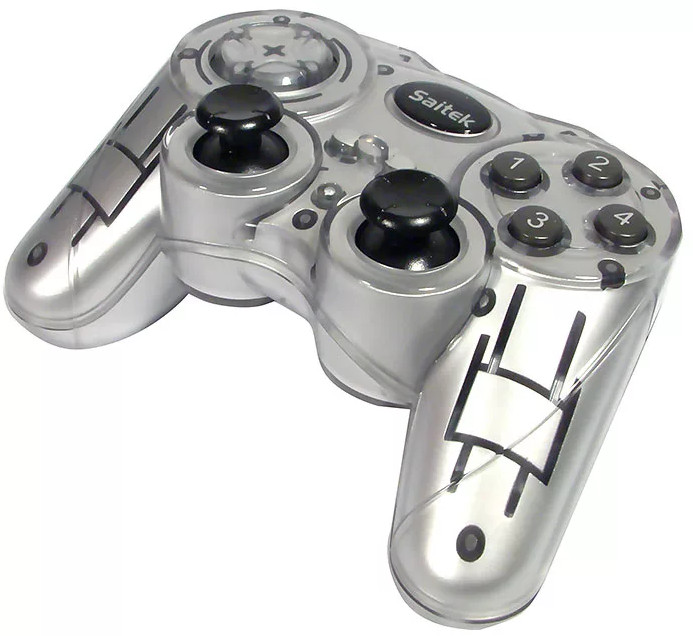
Saitek P580 Rumble Pad Driver 6.0.0.1
Driver package for Windows XP–7, 32-bit & 64-bit. Released Aug 9, 2007.
- Manufacturer
- Saitek
- Version
- 6.0.0.1
- Release date
- Aug 9, 2007
- Windows
- Windows XPWindows VistaWindows 7
- Architecture
- 32-bit & 64-bit
- Size
- 1 MB
- Hardware IDs
- 1 supported (see list)
- Category
- Gamepads › Saitek
Download
Saitek_P580.zip
How to install
- Check that this is the right driver. Open Device Manager (right-click the Start button), right-click your device, choose Properties and look at "Hardware Ids" on the Details tab. The value should match one of the supported IDs below (more about hardware IDs).
- Extract it to a folder. If the folder contains
setup.exeorinstall.exe, run it as administrator. - If there is no installer, right-click the device in Device Manager, choose Update driver, then "Browse my computer for drivers", select the extracted folder (leave "Include subfolders" ticked) and click Next.
- Restart the computer and check that the device no longer shows a yellow warning sign in Device Manager.
This driver was released for Windows XP–7. On Windows 10 and 11 it may refuse to install, or Memory integrity (Windows Security, Device security, Core isolation) may block it. If a newer version is listed under other drivers for this hardware, use that one instead.
Supported hardware IDs
This driver package declares support for 1 device ID. Open an ID to see every driver available for that device.
| Hardware ID | Device |
|---|---|
| USB\VID_0F30&PID_0111 | Jess Technology Co., Ltd Colour Rumble Pad |
Other drivers for this hardware
| Driver | Version | Date | Windows |
|---|---|---|---|
| Saitek X52 Flight Control System Driver | 8.0.213.0, 7.0.53.6 | Sep 24, 2018 | Windows XP, 7, 8, 10 |
| Saitek Pro Flight X55 RHINO Driver | 7.0.55.13 | Apr 8, 2016 | Windows 7, 8, 10 |