
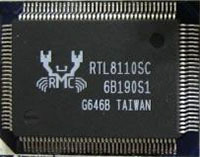
Realtek PCI RTL-81xx LAN Drivers Build 11.04.2024
Driver package for Windows XP–11, 32-bit & 64-bit. Released Apr 11, 2024.
- Manufacturer
- Realtek PCI RTL-81xx LAN Drivers
- Version
- Build 11.04.2024
- Release date
- Apr 11, 2024
- Windows
- Windows XPWindows VistaWindows 7Windows 8Windows 8.1Windows 10Windows 11
- Architecture
- 32-bit & 64-bit
- Size
- 69.5 MB
- Category
- Network cards (LAN) › Realtek
Download
Description
Windows 20xx, Windows XP
DriverVer = 01/25/2018, 5.836.0125.2018
Vista
DriverVer = 10/03/2017, 106.35.1003.2017
Windows 7
DriverVer = 10/14/2022, 7.154.1014.2022
Windows 8/8.1
DriverVer = 10/14/2022, 8.100.1014.2022
Windows 10
DriverVer = 11/21/2023, 10.069.1119.2023
Windows 11
Date & Version: 11/23/2023,1125.016.1121.2023 (RT25CX)
Date & Version: 11/23/2023,1124.016.1121.2023 (RT25DCX)
Date & Version: 11/23/2023,1126.016.1121.2023 (RT26CX)
Date & Version: 11/23/2023,1168.016.1121.2023 (RT68CX)
Date & Version: 11/23/2023,1166.016.1121.2023 (RT68DCX)
Date & Version: 11/21/2023,10.069.1121.2023 (RTOTS)
Network Interface Controllers > 2.5G Gigabit Ethernet > PCI Express
RTL8125, RTL8125B(S)(G)
Network Interface Controllers > 10/100/1000M Gigabit Ethernet > PCI Express
RTL8111B, RTL8111C, RTL8111D, RTL8111E, RTL8111F, RTL8111G(S), RTL8111H(S), RTL8118(A)(S). RTL8119i, RTL8111L, RTL8111K
RTL8168B, RTL8168E, RTL8168H
RTL8111DP, RTL8111EP, RTL8111FP
RTL8411, RTL8411B
Network Interface Controllers > 10/100M Fast Ethernet > PCI Express
RTL8101E, RTL8102E, RTL8103E, RTL8105E, RTL8106E, RTL8107E
RTL8401, RTL8402
How to install
- Check that this is the right driver. Open Device Manager (right-click the Start button), right-click your device, choose Properties and look at "Hardware Ids" on the Details tab. The value should match one of the supported IDs below (more about hardware IDs).
- Extract it to a folder. If the folder contains
setup.exeorinstall.exe, run it as administrator. - If there is no installer, right-click the device in Device Manager, choose Update driver, then "Browse my computer for drivers", select the extracted folder (leave "Include subfolders" ticked) and click Next.
- Restart the computer and check that the device no longer shows a yellow warning sign in Device Manager.
Other drivers for this hardware
| Driver | Version | Date | Windows |
|---|---|---|---|
| Realtek PCIe 5GbE Family Controller Driver | 1126.030.0508.2026 | May 8, 2026 | Windows 11 |
| Realtek PCIe 2.5GbE Family Controller Driver | 1125.030.0508.2026 | May 8, 2026 | Windows 11 |
| Realtek PCIe 2.5GbE Family Controller Driver | 1125.029.50.0202 | Feb 2, 2026 | Windows 11 |
| Realtek USB 2.5GbE Family Controller Driver | 1156.22.20.0113 | Jan 13, 2026 | Windows 11 |
| Realtek USB GbE Family Controller Driver | 1153.22.20.0113 | Jan 13, 2026 | Windows 11 |
| Realtek USB 2.5GbE Family Controller Driver (ARM64) | 1156.22.0113.2026 | Jan 13, 2026 | Windows 11 |
| Realtek PCIe 5GbE Family Controller Driver | 1126.028.1224.2025 | Dec 24, 2025 | Windows 11 |
| Realtek PCIe GbE Family Controller Driver | 10.079.50.1003 | Oct 3, 2025 | Windows 10, 11 |